
Inside the Sunshine Academy platform
See how you manage learner bookings and resources, and what learners can access when they sign in.
Sunshine Course Workspace
Create, publish and deliver your own online courses with access included in every Sunshine Academy package.
- Organise your own content into modules and lessons.
- Add resources, quizzes and assessments.
- Preview the course as a learner and track learner progress.
£10 per online course booking in Course Workspace. Your Academy membership covers access to the builder.
The screenshots show Sunshine Training’s own course examples. Course approval, accreditation and certificate requirements are handled separately.
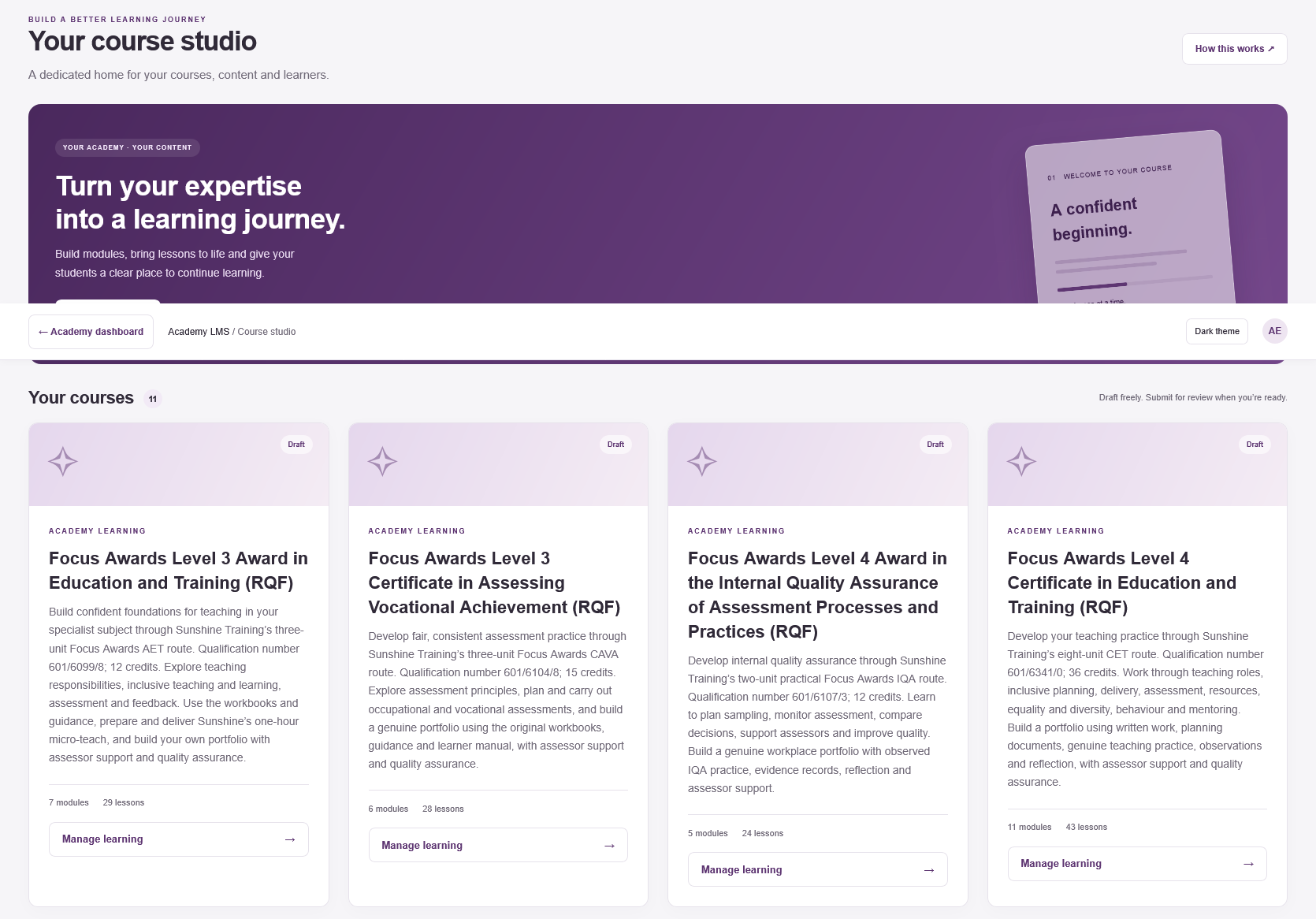
Course studio
Keep your draft courses together as you prepare them for review.

Modules and lessons
Organise your content into modules and lessons, then preview what your learners will see.
Market your academy
Use the Academy’s marketing resources to promote courses in your own branding. Create course announcements, share social artwork and use stickers and GIFs. Eligible academies can display a live accreditation badge on their website.
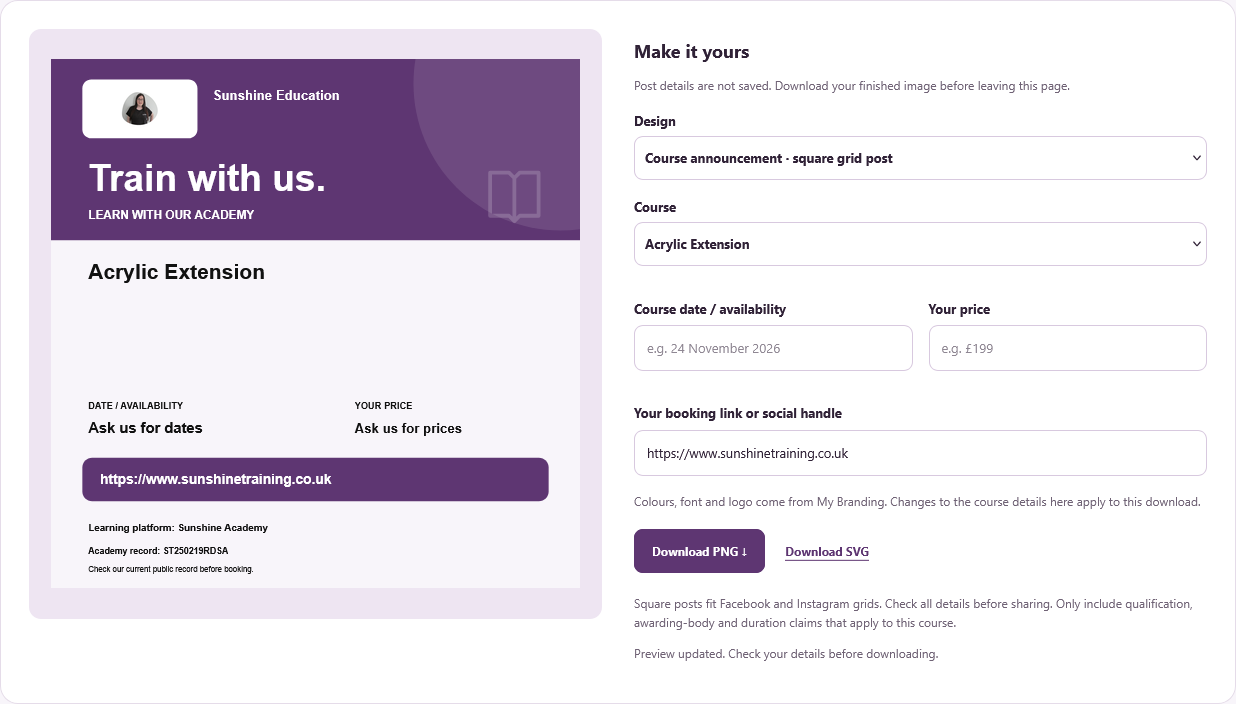
Create a course announcement
Add your course details, dates, price and booking link to a social post you can download.
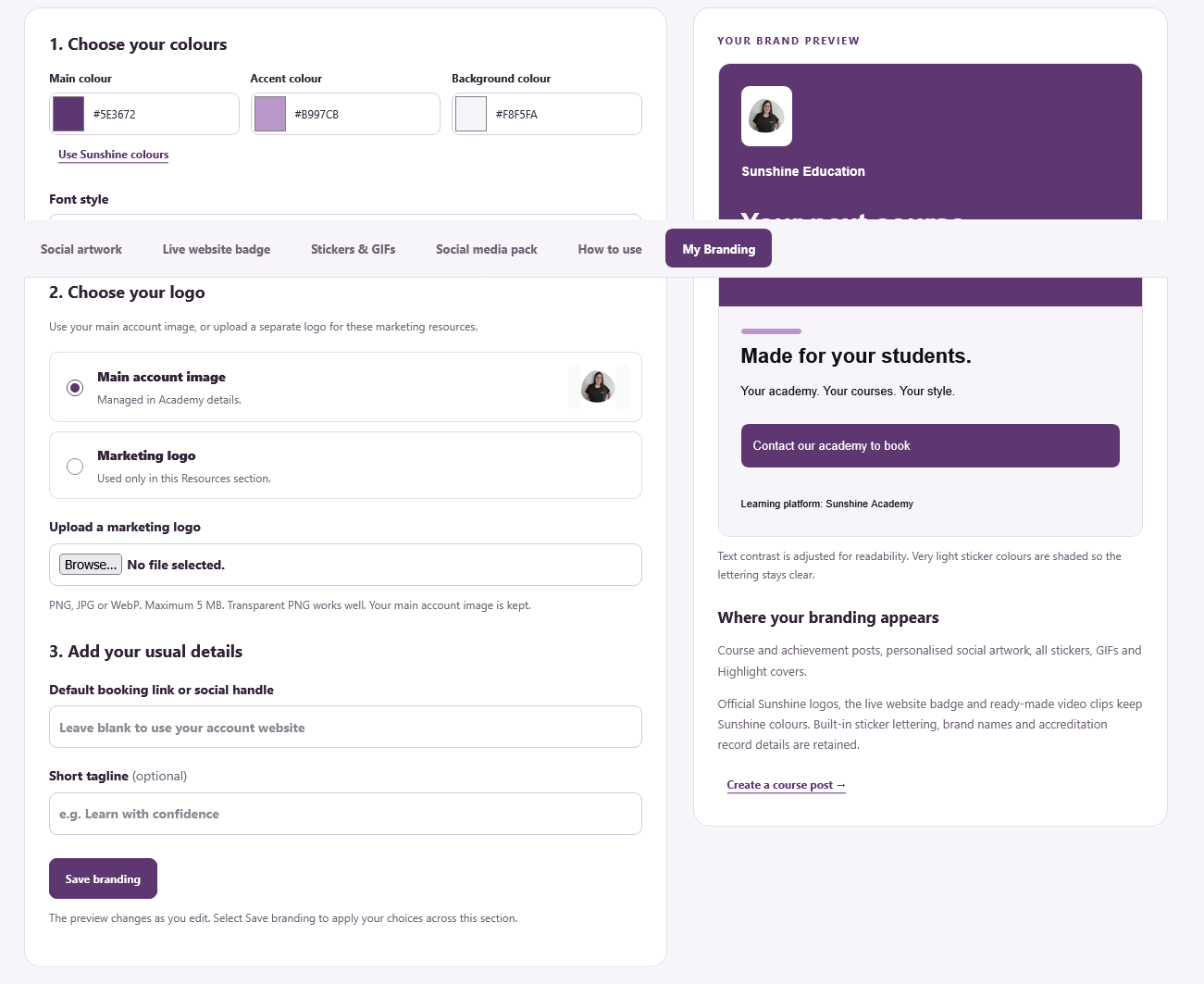
Use your own branding
Set your academy colours, font, logo and usual booking link for your marketing materials.

Show your accreditation record
Eligible academies can add a live website badge that links to their public accreditation record.
Academy dashboard
Work from one place to register learners on approved courses, find your academy resources and manage certificates.
- Learner bookingsFind bookings and register learners for approved courses.
- Course resourcesAccess materials for the courses you deliver.
- CertificatesUse the academy’s certificate tools when learners complete their training.
Student Portal
Learners can return to course materials and work through theory or quizzes where these are included. The screenshot shows the quiz area in the Sunshine Student Portal.

Editable training resources
Find the materials for your approved courses and adapt editable resources for your academy before delivering training.
- Course materialsFind the resources for courses your academy is approved to deliver.
- Editable filesCustomise editable training materials for your academy.
- Learner accessGive your learners access to the materials available for their course.
Course and treatment pricing calculator
Bring costs such as kit, time, overheads and booking fees together when working out what to charge.
- CostsEnter kit and overheads.
- TimeAdd the duration and your hourly rate.
- MarginChoose your target profit margin.
Certificates and verification
Learners can access their certificate once it has been issued, and CertiChecker lets them verify it.
- Complete the courseThe learner meets the course and assessment requirements.
- Certificate issuedThe learner can access their certificate through the portal.
- Verify with CertiCheckerThe learner or academy can use Sunshine’s certificate check.
Choose a level for your academy
Compare the number of courses you can offer at each level, including the Unlimited option.